
.png)
Description
Download YOMO AI – AI‑Powered User Research Tool for Startups & Product Teams
Overview
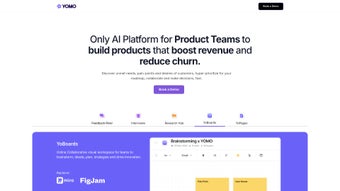
YOMO AI is a cloud‑native, subscription‑based research platform designed to turn raw user conversations into clear, actionable insights. In today’s fast‑paced product cycles, teams often lose valuable time transcribing interviews, coding qualitative data, and surfacing sentiment trends. YOMO AI eliminates those manual steps by leveraging state‑of‑the‑art natural language processing to instantly transcribe audio or video, summarize key points, and flag recurring pain‑points. The result is a real‑time dashboard that lets founders, UX researchers, and product managers move from vague impressions to data‑driven decisions within minutes. The platform also supports marketers who need rapid sentiment analysis to fine‑tune campaign messaging. Because everything runs in a secure, GDPR‑compliant cloud environment, teams can trust that sensitive user recordings stay private while still enjoying the flexibility of any modern browser. Whether you’re launching a new SaaS product, iterating on a mobile app, or refining a B2B service, YOMO AI provides a scalable research hub that grows with your interview volume and team size, keeping the feedback loop tight and the insights trustworthy.
Core Features, Benefits, Pros & Cons
- AI‑Driven Transcription & Summarization – Real‑time conversion of voice or video into searchable text with concise summaries that highlight core themes.
- Automated Insight Extraction – Sentiment tagging, keyword frequency, and pattern detection without manual coding.
- Dynamic Question Builder – Generates interview guides tailored to personas, product stage, and research goals.
- Collaboration Workspace – Teams can annotate, comment, and assign insights to stakeholders for seamless follow‑up.
- One‑Click Export – PDF, CSV, or PowerPoint reports with visual charts for investors and executives.
- Security & Compliance – End‑to‑end encryption, GDPR/CCPA readiness, and role‑based access controls.
- Integrations – Native connections to Slack, Jira, Notion, HubSpot, plus Zapier and webhooks.
- Continuous Learning – The AI model improves with each interview, sharpening nuance detection over time.
Pros
- Eliminates hours of manual transcription per interview.
- AI‑generated insights reduce bias and surface hidden patterns.
- Customizable question builder improves interview quality.
- Secure, GDPR‑compliant data handling builds participant trust.
- Seamless integrations keep research within existing workflows.
- Scalable cloud architecture supports startups to enterprises.
Cons
- Subscription pricing may be steep for solo founders on a tight budget.
- AI accuracy can dip with heavily accented speech or low‑quality audio.
- Initial learning curve for teams new to AI‑driven research tools.
- Requires an internet connection; no full offline mode.
Overall Rating: 4 out of 5 stars. YOMO AI delivers a compelling mix of automation and insight generation that dramatically speeds up user‑research cycles. While the price point can be a hurdle for very early‑stage startups, the time saved on transcription and analysis often outweighs the cost for teams that need rapid iteration.
Installation, Usage & Compatibility
Getting started with YOMO AI requires no downloads – the platform runs entirely in your web browser. After clicking “Start Free Trial” on the official site, you create an account with a business email, set a secure password, and verify via a confirmation link. Once logged in, the responsive dashboard adapts to desktop monitors, tablets, or smartphones, ensuring a consistent experience across devices.
Step‑by‑Step Workflow
- Create a Project – Choose a name, select research type (interview, survey, focus group), and set timeline.
- Invite Participants – Import a CSV, connect a CRM, or use built‑in email invitations with calendar sync.
- Build the Interview Guide – Use the AI Question Builder to generate a tailored script, then customize follow‑up prompts.
- Record or Upload Media – Capture audio/video with the browser recorder or upload existing files; transcription begins instantly.
- Review Live Summaries – As the AI processes the recording, a side panel displays key quotes, sentiment shifts, and emerging themes.
- Annotate & Tag – Add notes, tag insights (e.g., “Pricing Concern”), and assign tasks to teammates.
- Export & Share – Generate polished reports in PDF, CSV, or PPT format for stakeholders.
YOMO AI supports all modern browsers on Windows, macOS, Linux, Android, and iOS. No plugins or extensions are required, and the platform adheres to WCAG 2.1 AA accessibility standards, making it usable for researchers with disabilities. Automatic updates are delivered server‑side, so you always benefit from the latest AI models and security patches without manual intervention. For organizations with strict data residency needs, a private‑cloud deployment option meets ISO 27001 and SOC 2 requirements, ensuring recordings never leave your controlled environment.
FAQ & Final Call to Action
Can YOMO AI handle both qualitative and quantitative data?
Yes. While the platform excels at extracting qualitative insights from interviews, it also quantifies sentiment scores, keyword frequencies, and other metrics that can be combined with numeric survey results for a complete view.
Is there a free trial or a freemium tier?
YOMO AI offers a 14‑day free trial with full access to every feature. After the trial, you can choose a monthly or annual subscription; there is no permanently free tier.
How does YOMO AI protect my data?
All recordings are encrypted in transit (TLS 1.3) and at rest (AES‑256). The service complies with GDPR, CCPA, ISO 27001, and offers region‑specific data residency options.
Can YOMO AI integrate with my existing tools?
Yes. Native integrations exist for Slack, Jira, Notion, HubSpot, Asana, Trello, and you can also connect via Zapier or custom webhooks to any platform that supports REST APIs.
What happens if my internet drops during a recording?
The built‑in recorder saves the audio locally on your device and automatically syncs to the cloud once the connection is restored, preventing any data loss.
In a market where speed to insight can make or break a product launch, YOMO AI provides a secure, AI‑enhanced pathway from raw conversation to strategic recommendation. The productivity gains—often measured in hours saved per interview—typically outweigh the subscription cost, especially for teams that need rapid iteration. Ready to replace manual note‑taking with a reliable, data‑driven research engine? Start your free trial today and experience the transformation for yourself.
Guides & Tutorials for YOMO AI
How to install YOMO AI
- Click the Preview / Download button above.
- Once redirected, accept the terms and click Install.
- Wait for the YOMO AI download to finish on your device.
How to use YOMO AI
This software is primarily used for its core features described above. Open the app after installation to explore its capabilities.
User Reviews for YOMO AI 0
No reviews found




